Research Capsule Review System







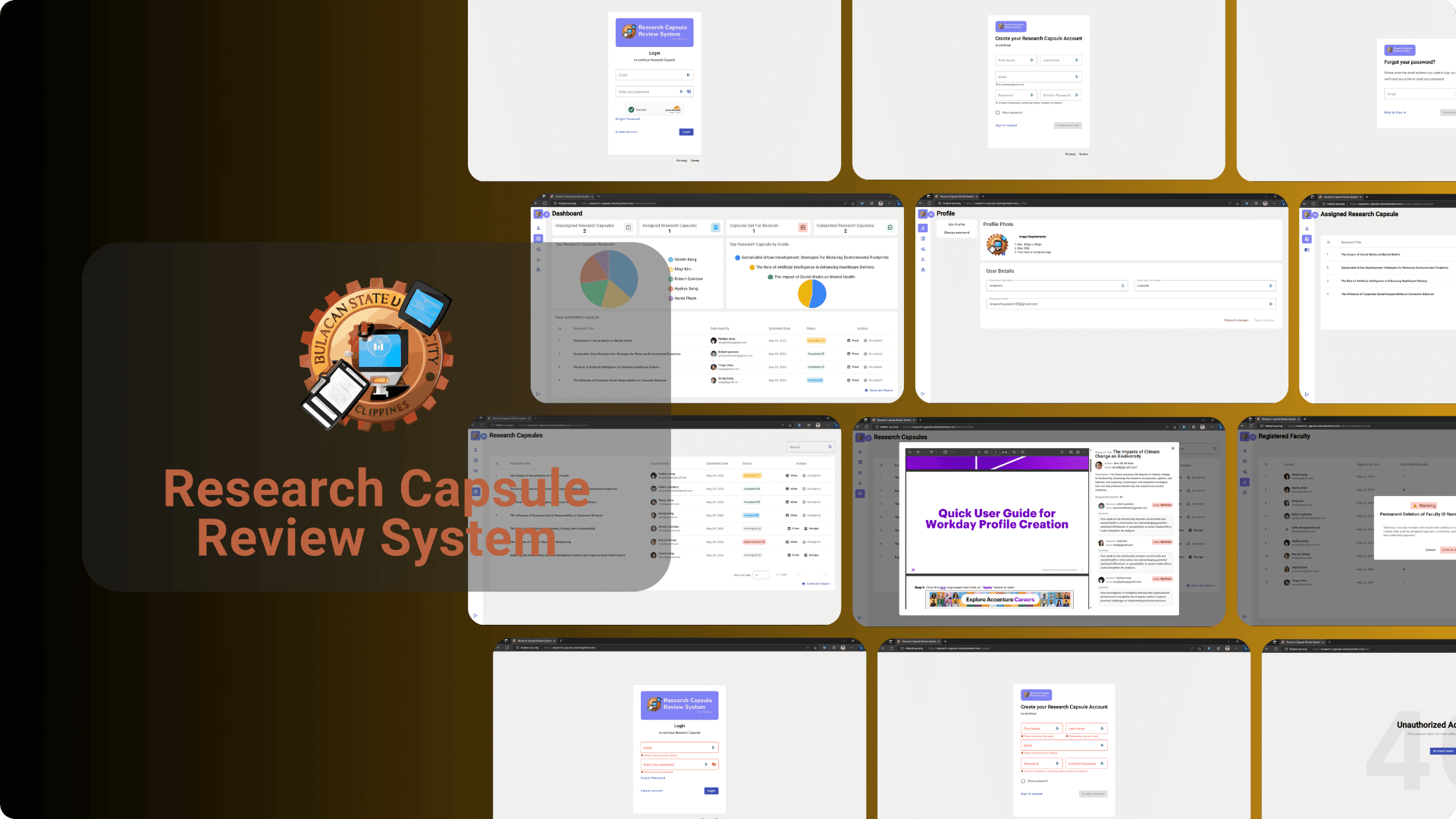
The 'Research Capsule Review System' is a key component of the University's research project proposal process. It provides a structured review process for faculty members submitting Research Capsules for new research projects

Project Overview
The project, titled "Research Capsule Management System," aims to streamline the process of submitting, reviewing, and managing research capsules within the University. This system is designed to facilitate the exchange of research proposals and reviews between faculty members, research coordinators, and selected faculty reviewers. The primary objective is to improve the efficiency and transparency of the research proposal submission and review process.
Project Details
The Research Capsule Management System is initiated to handle research proposals submitted by faculty members to the University. The system ensures a blind review process by selected faculty members before the proposals are forwarded to the University's Research Office.
CautionDisclaimer: It's essential to understand that the Research Capsule Management System is created specifically for educational and internship purposes. This project is not intended for professional or commercial use without significant enhancements to meet industry standards and data security requirements. Its functionalities and scope are tailored to an educational context and may not be suitable for broader, real-world applications.
The website is now accessible via a browser https://research-capsule.robertquintero.me/
Admin
Username : researchcapsule123@gmail.com
Password : password123!
Registered Faculty or you can create your own
Username : wendy@gmail.com
Password : password123!
User Levels
- Admin (CICT Research Coordinator)
- Reviewer (Selected Faculty by the Coordinator)
- Faculty Members
Functional Requirements
Registration and Login System
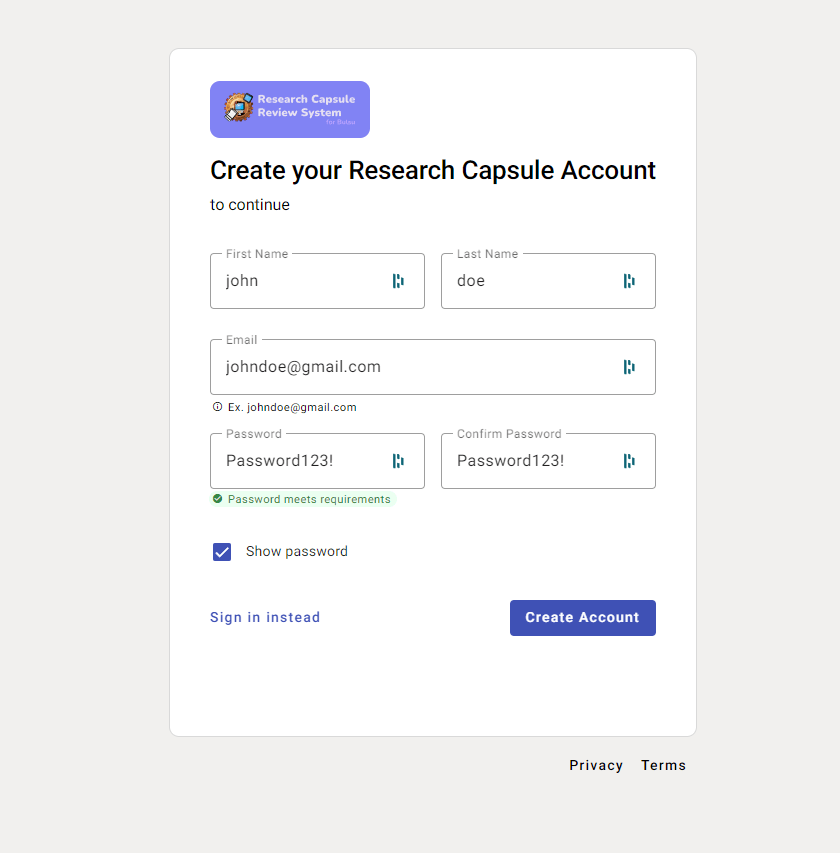
- Faculty can register into the system.
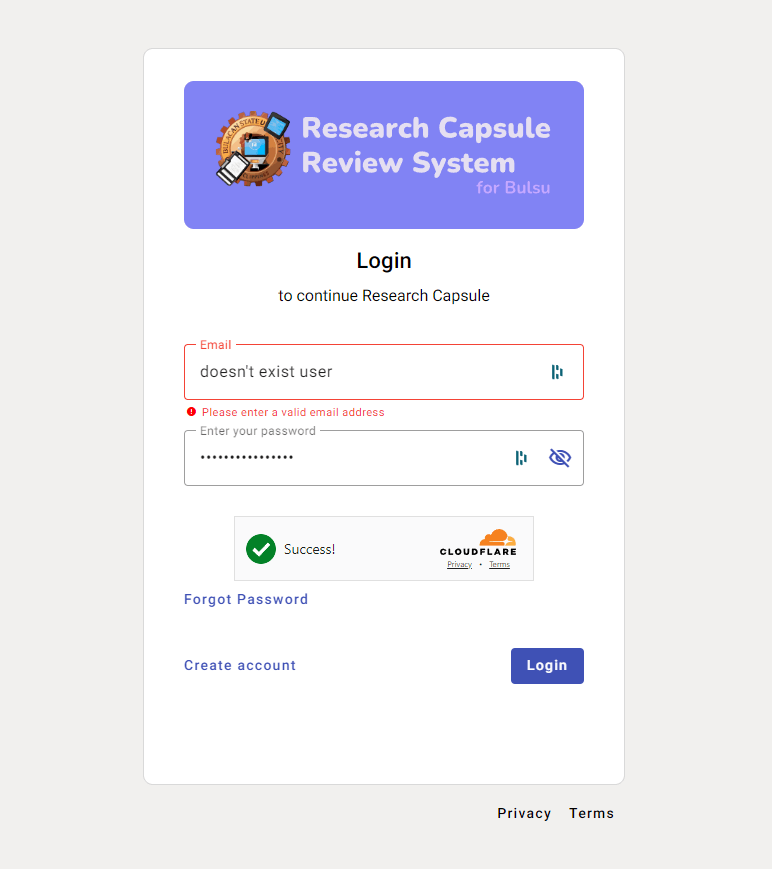
- Faculty and Admin can log in into the system.
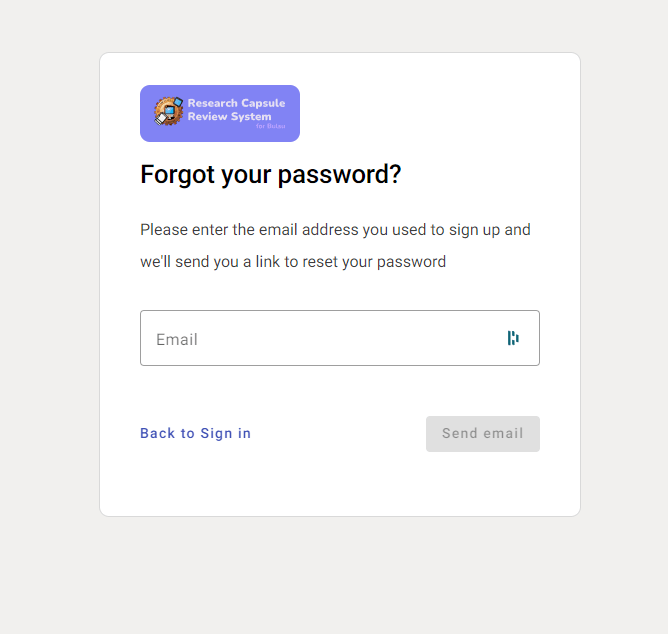
- Forgot password functionality for faculty accounts.
- Resetting the password for the research coordinator.
- Cloudflare Free CAPTCHA Turnstile
login.component.ts
import { Component, OnInit } from '@angular/core';
import { FormControl, FormGroup, Validators } from '@angular/forms';
import { MyErrorStateMatcher } from '../ErrorStateMatcher';
import { AuthenticateService } from '../authenticate.service';
import { Router } from '@angular/router';
import { SnackbarService } from 'src/app/shared/snackbar.service';

const SECRET_KEY = 'SECRET_KEY';

async function handlePost(request: { formData: () => any; headers: { get: (arg0: string) => any; }; }) {
  const body = await request.formData();
  // Turnstile injects a token in "cf-turnstile-response".
  const token = body.get('cf-turnstile-response');
  const ip = request.headers.get('CF-Connecting-IP');

  // Validate the token by calling the "/siteverify" API.
  let formData = new FormData();
  formData.append('secret', SECRET_KEY);
  formData.append('response', token);
  formData.append('remoteip', ip);

  const result = await fetch('https://challenges.cloudflare.com/turnstile/v0/siteverify', {
    body: formData,
    method: 'POST',
  });

  const outcome = await result.json();
  if (!outcome.success) {
    return new Response('The provided Turnstile token was not valid! \n' + JSON.stringify(outcome));
  }
  // The Turnstile token was successfully validated. Proceed with your application logic.
  // Validate login, redirect user, etc.
  // For this demo, we just echo the "/siteverify" response:
  return new Response('Turnstile token successfully validated. \n' + JSON.stringify(outcome));
}

@Component({
  selector: 'app-login',
  templateUrl: './login.component.html',
  styleUrls: ['../authenticate.css']
})
export class LoginComponent implements OnInit {
  loginForm!: FormGroup;
  emailFormControl!: FormControl;
  passwordFormControl!: FormControl;
  token!: string;
  hide = true;
  matcher = new MyErrorStateMatcher();

  constructor(
    private authService: AuthenticateService,
    private route: Router,
    private _snack: SnackbarService,
  ) { }

  ngOnInit(): void {
    this.matcher = new MyErrorStateMatcher()
    this.loginForm = new FormGroup({
      email: this.emailFormControl = new FormControl('', [Validators.required, Validators.email]),
      password: this.passwordFormControl = new FormControl('', [Validators.required])
    });
  }

  async login(form: any) {
    if (this.loginForm.valid && form) {
      const email = form.email;
      const password = form.password;
      this.authService.login(email, password).subscribe(
        async (data: any) => {
          // Send POST request to validate Turnstile token
          const response = await fetch('/login', {
            method: 'POST',
            body: new FormData(document.forms[0])
          });
          const text = await response.text();
          console.log(text);

          this._snack.success('Successfully logged in!')
          this.token = data.access_token;
          localStorage.setItem('access_token', JSON.stringify(this.token));

          if(data.level == 0){
            this.route.navigate(['/admin/dashboard']);
          }
          else {
            this.route.navigate(['/faculty/submitted-research']);
          }
        },
        (err) => {
          console.log(err)
          this._snack.error(err.error.message)
        },
        () => {
        }
      );
    } else {
      this._snack.error("Please check all fields!");
    }
  }
}
Profile Management
- Users must provide complete and accurate information.
- Allows faculty members to update their information.
Account Management (Admin)
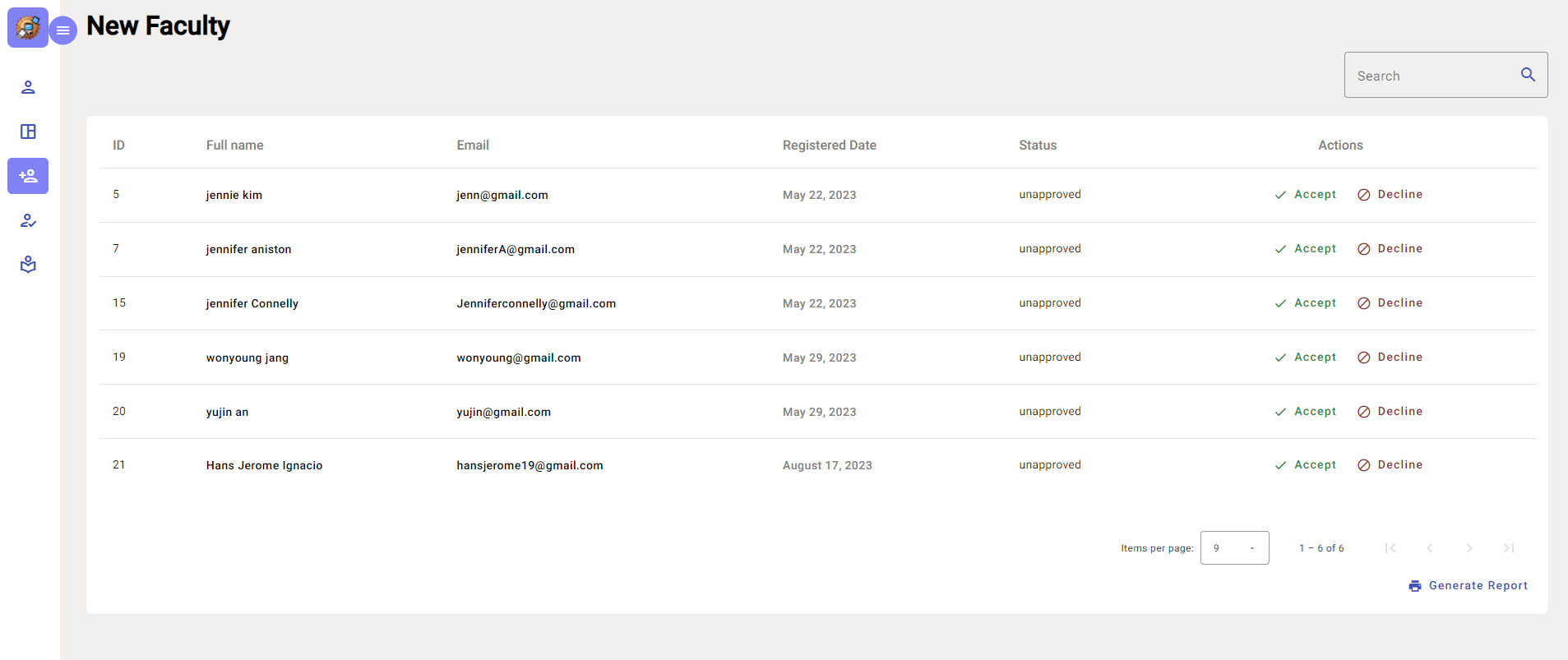
- Registered faculty members must be approved by the coordinator.
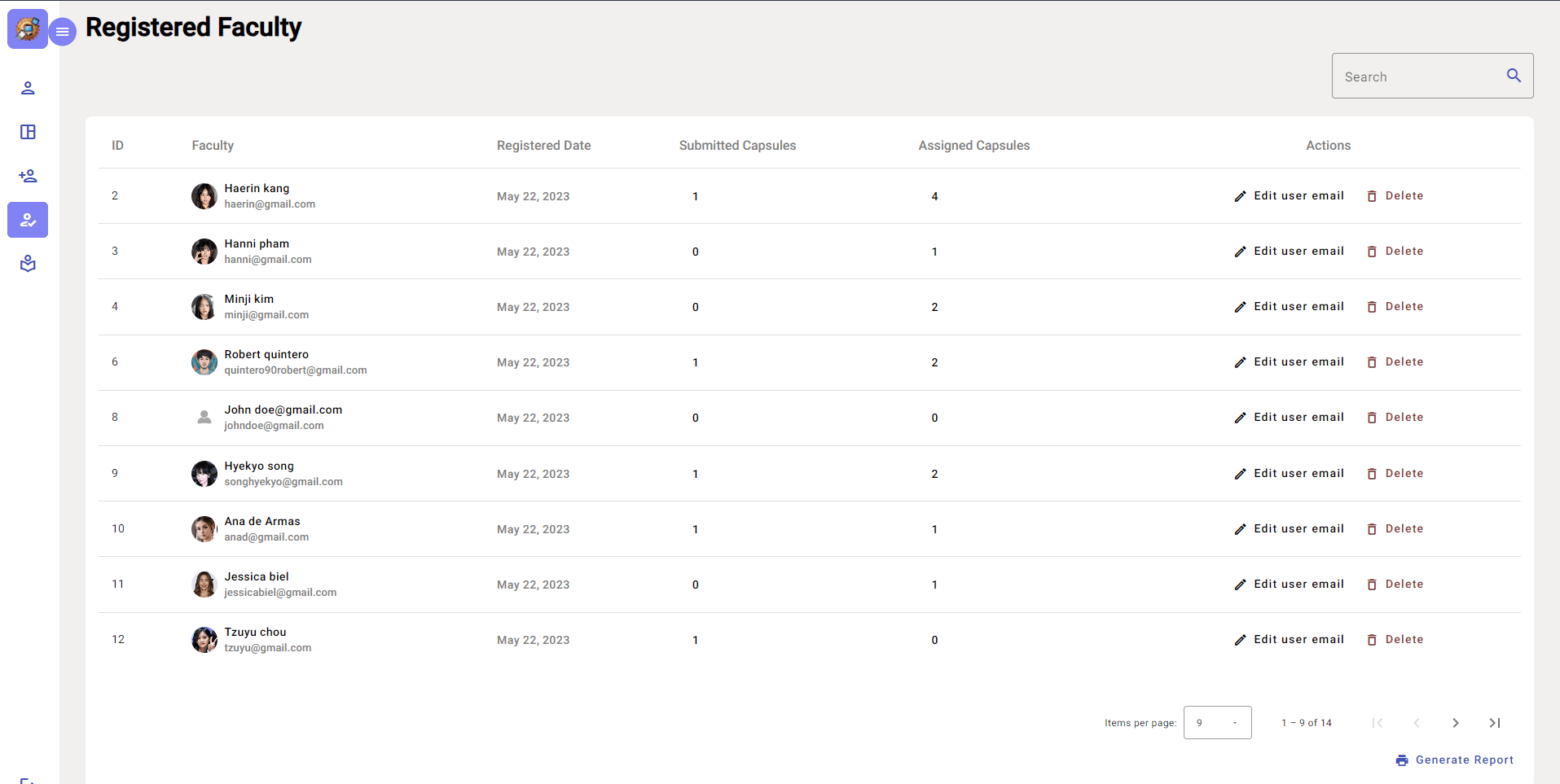
- Admin can assign a faculty member as a reviewer.
Research Capsule Management
- (Faculty)
- Allows faculty to submit research capsules into the system.
- Uploads capsule files in DOC or PDF format, ranging from 5MB to 10MB.
- Re-upload returned capsule files.
- (Admin)
- Admin can view all submitted research capsules.
- Research capsules have different statuses: Unassigned, Under Revision, Completed.
- Admin can assign submitted capsules to selected reviewers.
- Admin can access computed grades and comments provided by reviewers for each title (with attached rubrics of capsules).
- (Reviewer)
- Reviewers can view assigned capsules for review.
- Reviewers can assign grades and provide comments on the capsules they are reviewing.
Results and Outcomes
The implementation of the Research Capsule Management System is expected to yield several outcomes:
- Improved efficiency in the submission and review process of research proposals.
- Enhanced transparency and traceability through the status tracking of research capsules.
- Streamlined communication between faculty members, reviewers, and administrators.
- Enhanced data security and privacy with a secure login system.
- Efficient allocation of reviewers by the research coordinator.
- Increased accountability in the research proposal review process through the grading and comment system.
Benefits and Application
The Research Capsule Management System offers several benefits and applications, including:
- Accelerating the research proposal submission and approval process.
- Simplifying the process of assigning reviewers and tracking their evaluations.
- Supporting the Research Office in making informed decisions regarding research project approval.
- Facilitating collaboration and engagement among faculty members, reviewers, and administrators.
- Reducing administrative overhead and paperwork.
- Enhancing the overall quality and integrity of research proposals within the University.
This structured project overview should help provide a clear understanding of the Research Capsule Management System and its various components.
Conclusion
The Research Capsule Management System promises to enhance the efficiency and transparency of research proposal management at the University. With its user-friendly features and streamlined processes, it will facilitate collaboration and decision-making. Its successful implementation will lead to improved research proposal handling and elevate the overall research quality within the University.